


|
Name |
Side Bar |
|---|---|
|
Google Play Link |
GET IT ON
Google Play
|
|
Category |
Tools |
|
Developer |
Yogesh Dama |
| Last version | 2.21 |
|
Updated |
|
|
Compatible with |
Android 4.3+ |
Introduction to Side Bar APK
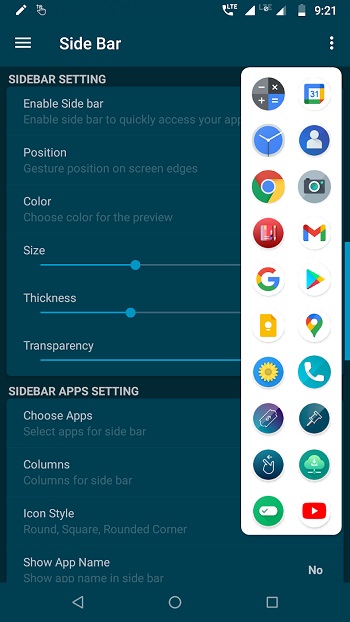
Side Bar is a mobile utility app designed for Android devices, built to simplify how people open and switch between apps. It works as an edge screen tool that sits quietly on the side of your display and appears with a quick swipe. Instead of jumping back to the home screen or opening recent apps, everything you need stays within reach in one place.
The main purpose of this app is to save time during daily phone use. It creates a floating panel where users can pin their favorite apps, tools, or shortcuts. This is especially useful when multitasking, like replying to messages while watching a video or checking notes during a call. The interaction feels smooth and doesn’t interrupt what you’re already doing.
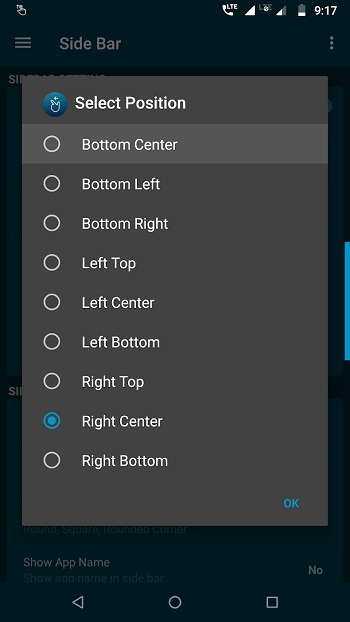
A standout feature is its gesture-based control. You simply swipe from the edge of the screen to open the sidebar. The gesture can be adjusted in sensitivity and position, so it matches your personal habits. After a short time, it becomes second nature, almost like muscle memory for your thumb.
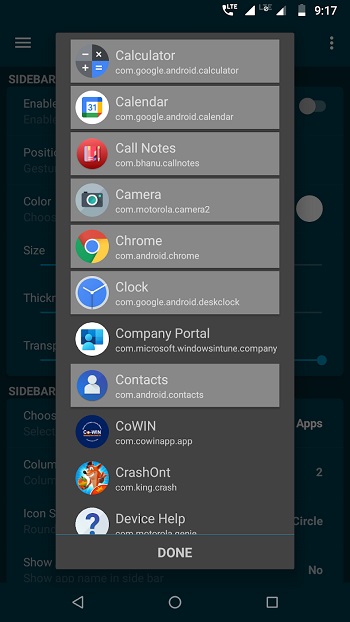
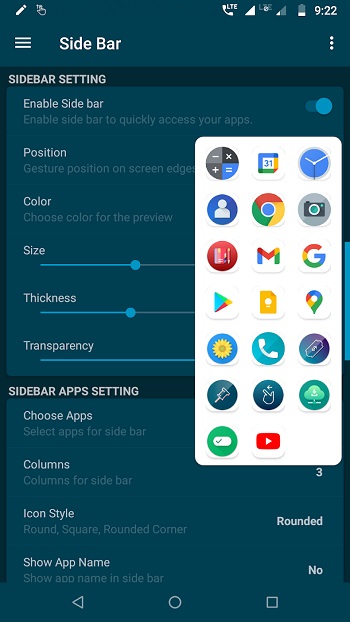
Customization plays a big role here. Users can change colors, transparency, and icon styles to match their phone’s look. The layout also supports multiple columns, which means more apps can fit without making the panel feel cramped. Organizing apps by category helps keep things neat and easy to scan.
Performance is another strong point. The app runs in the background without draining battery or slowing down the device. It’s lightweight, so even mid-range phones can handle it without issues. That balance between functionality and efficiency makes it practical for everyday use.
There are a few limitations to keep in mind. Since it uses overlay permissions, some users may feel cautious about granting access. Also, accidental swipes can happen if the gesture area is not adjusted properly. These are minor issues, but they can affect the first-time setup experience.
This app suits students, office workers, and anyone who switches between apps often. It’s also handy for people who prefer one-handed use on larger screens. In situations where speed matters, like quick replies or checking tools on the fly, it quietly makes phone usage feel more organized and less repetitive.
FAQs Side Bar
What is Side Bar?
+
Side Bar is an Android utility app that creates a swipeable edge panel for quick access to apps and shortcuts.
How does Side Bar work?
+
It works through a gesture system where you swipe from the screen edge to open a customizable sidebar with your selected apps.
Is Side Bar safe to use?
+
Yes, but it requires overlay permissions to function. Users should review and manage permissions based on their comfort level.
Can I customize the sidebar layout?
+
Yes, you can adjust colors, transparency, icon styles, gesture sensitivity, and even organize apps into multiple columns.
Who should use Side Bar?
+
It’s ideal for people who multitask ხშირად, such as students, professionals, or anyone who wants faster app switching on Android devices.
Discover More Interesting Apps
-
 Mod
Mod
Auto Cursor
v1.12.1
8.08 Mb
Updated -
Mod
Space Micro Panel
v2.1
33 MB
Updated -
Mod
Playstore App
v52.9.21-24 [0] [PR] 968642861
106020565
Updated -
Mod
NetherSX2 Emulator
v1.0.0
27794177
Updated -
Mod
LITRON VPN
v3.5.9
33.75 Mb
Updated -
Mod
Tevi
v3.36.9
178.82 Mb
Updated -
H4X Macro Game Booster Pro
v6.2.8
12.00 Mb
Updated -
App Hider
v3.16.1_be89ad4bd
35.86 Mb
Updated -
Mod
Blokada
v26.9.1062
189.00 Mb
Updated -
Pixel Player
v1.7.0
111.12 Mb
Updated










Share Your Thoughts